Engagement
Learn how to view engagement metrics by student, year, registration, house, and more.
Contents
- Viewing engagement metrics
- Filtering and grouping students
- Viewing a student's detailed activity
- Things to know
Viewing engagement metrics
The Engagement page shows engagement metrics for all students in your school.
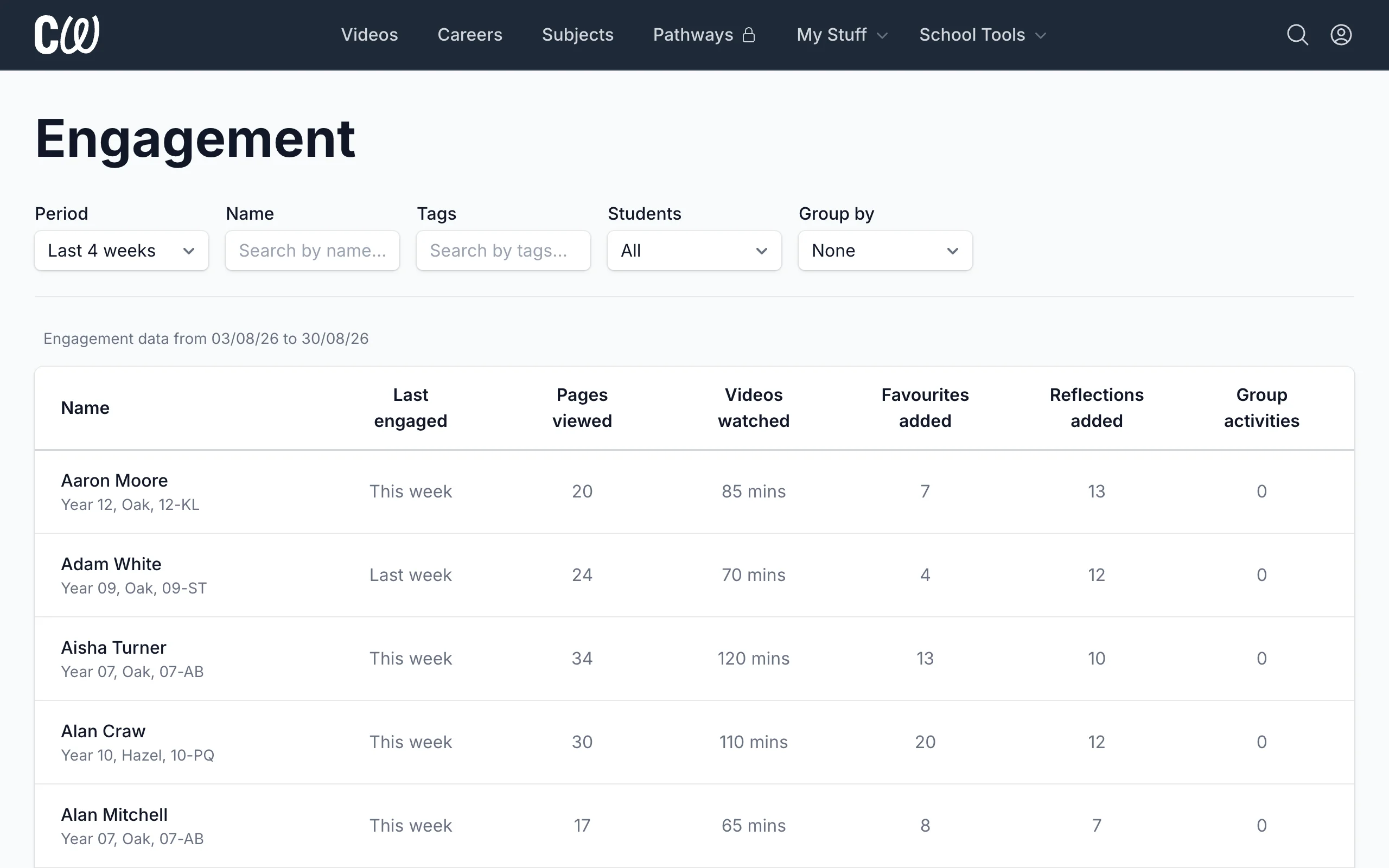
You can select different date ranges for your report:
- This week
- Last week
- Last 4 weeks (default)
- Last 8 weeks
- Last 12 weeks
Ranges are whole weeks running Monday to Sunday, so Last 4 weeks covers the current week plus the three before it.
Filtering and grouping students
You can filter students by:
- Name (First/last name or email)
- Tags (Year, Registration, House, etc)
- Activity (All / Active only / Inactive only)
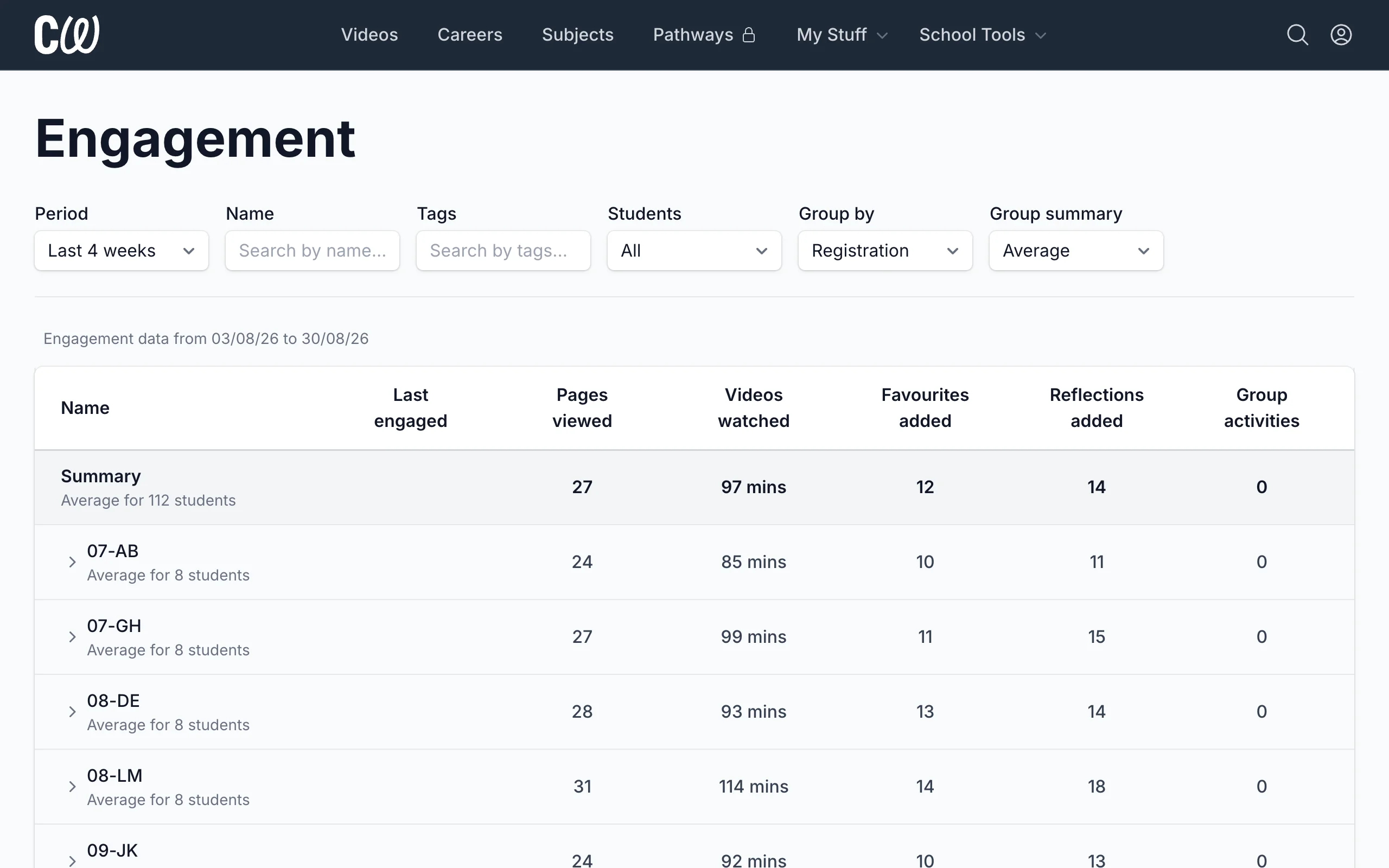
You can also view students individually or group them by:
- Year
- Registration
- House
Viewing a student's detailed activity
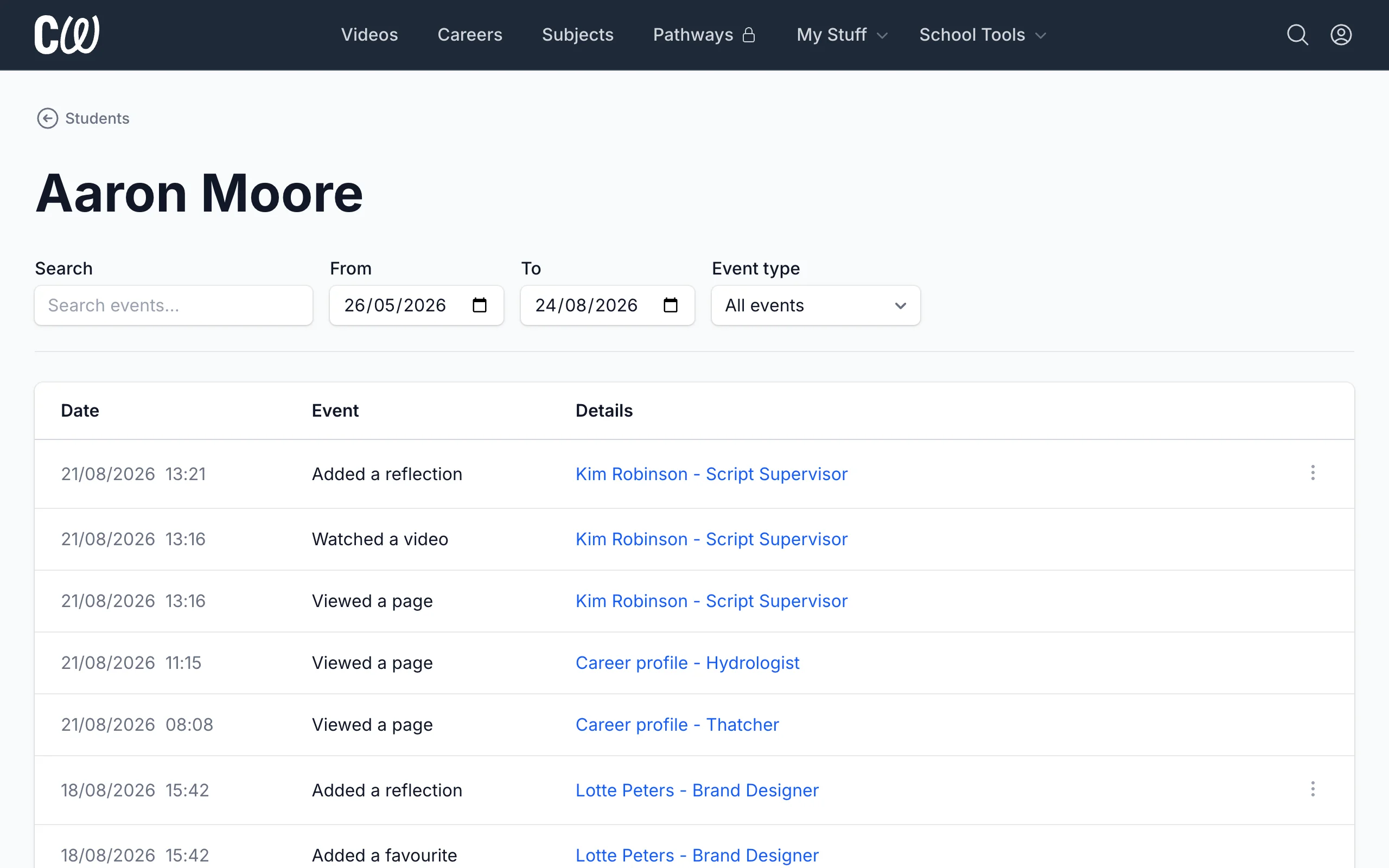
Click a student's name to see their detailed activity.
Things to know
- Student activity can take up to a minute to appear in the engagement report or detailed view.