Reflections
Learn how students can add personal reflections about videos, careers, and guides.
Contents
Adding reflections
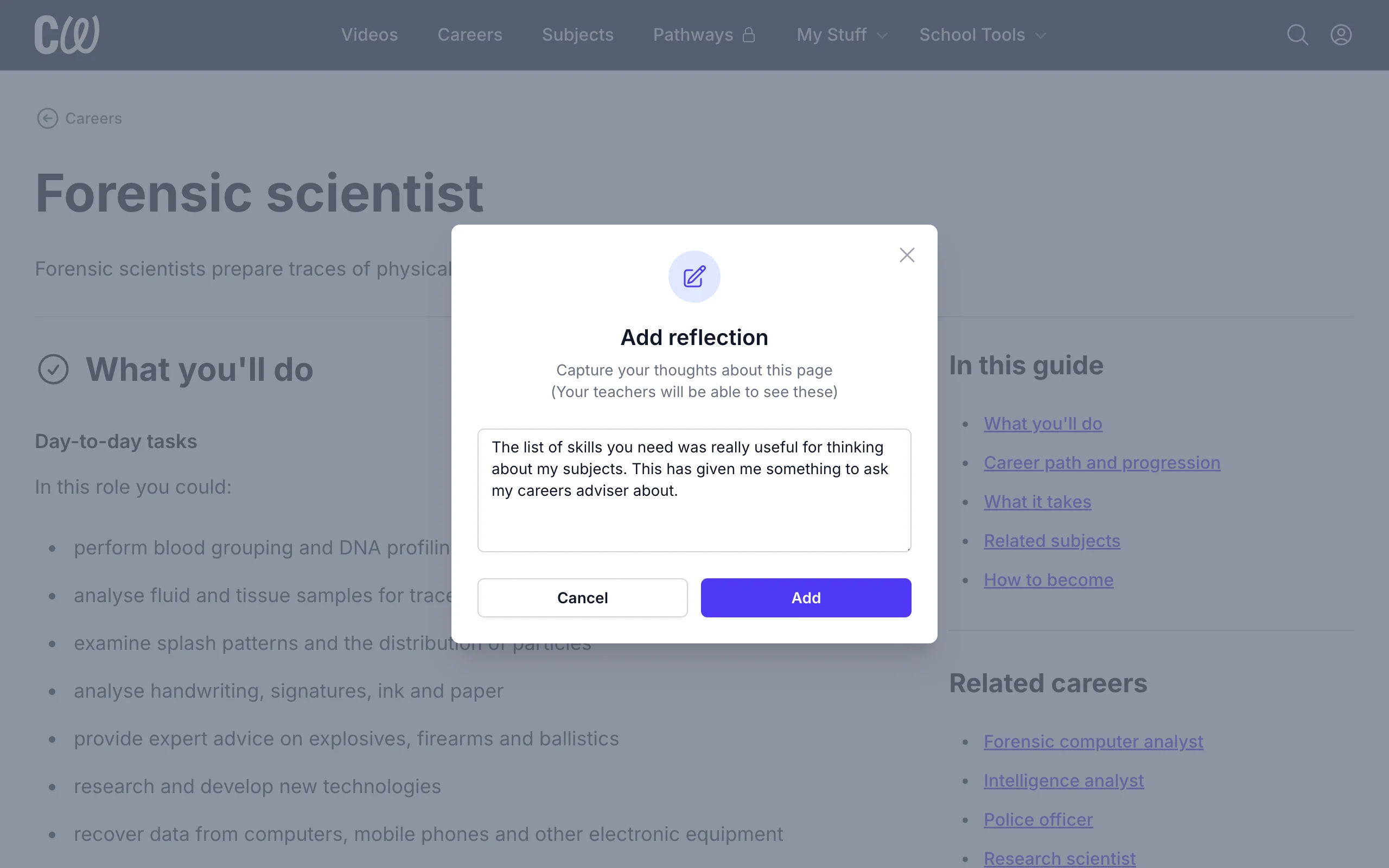
Reflections are a student's personal notes – what they liked (and disliked) about a video, career, or guide. Writing those thoughts down turns a vague reaction into something a student can discuss in a one-to-one session or at home.
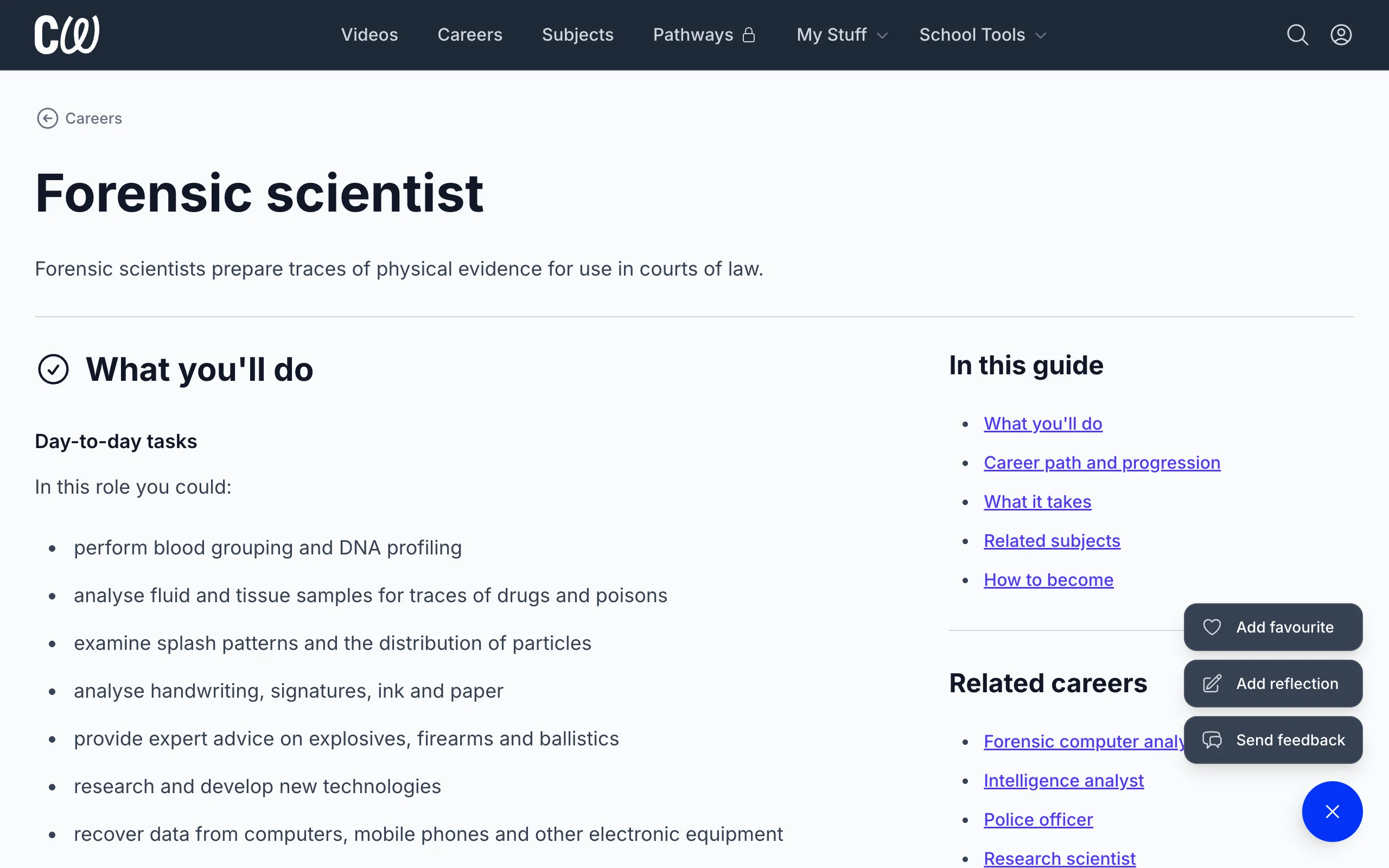
To add a reflection, students click + at the bottom of a video, career, or guide page and select Add reflection.
Viewing reflections
The Reflections page shows a student all the videos, careers, and guides where they've added a reflection.
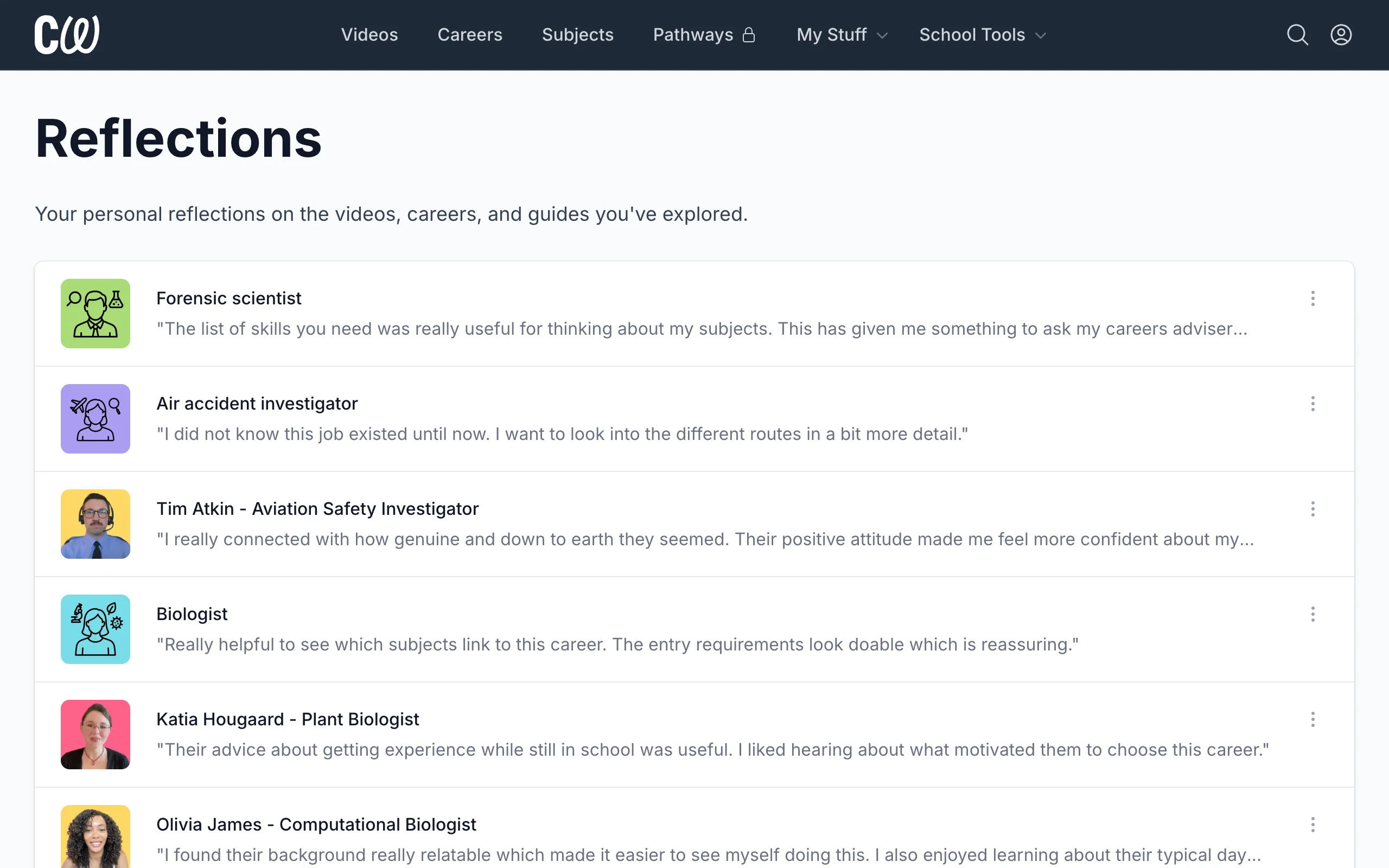
To change or remove a reflection, students click ⋮ next to it and select Edit or Remove.
Things to know
- Student reflections can be seen by staff at their school, but not by other students.
- Adding a reflection counts as student activity, so it appears in the Engagement report and in Gatsby reports.